
Table of Contents
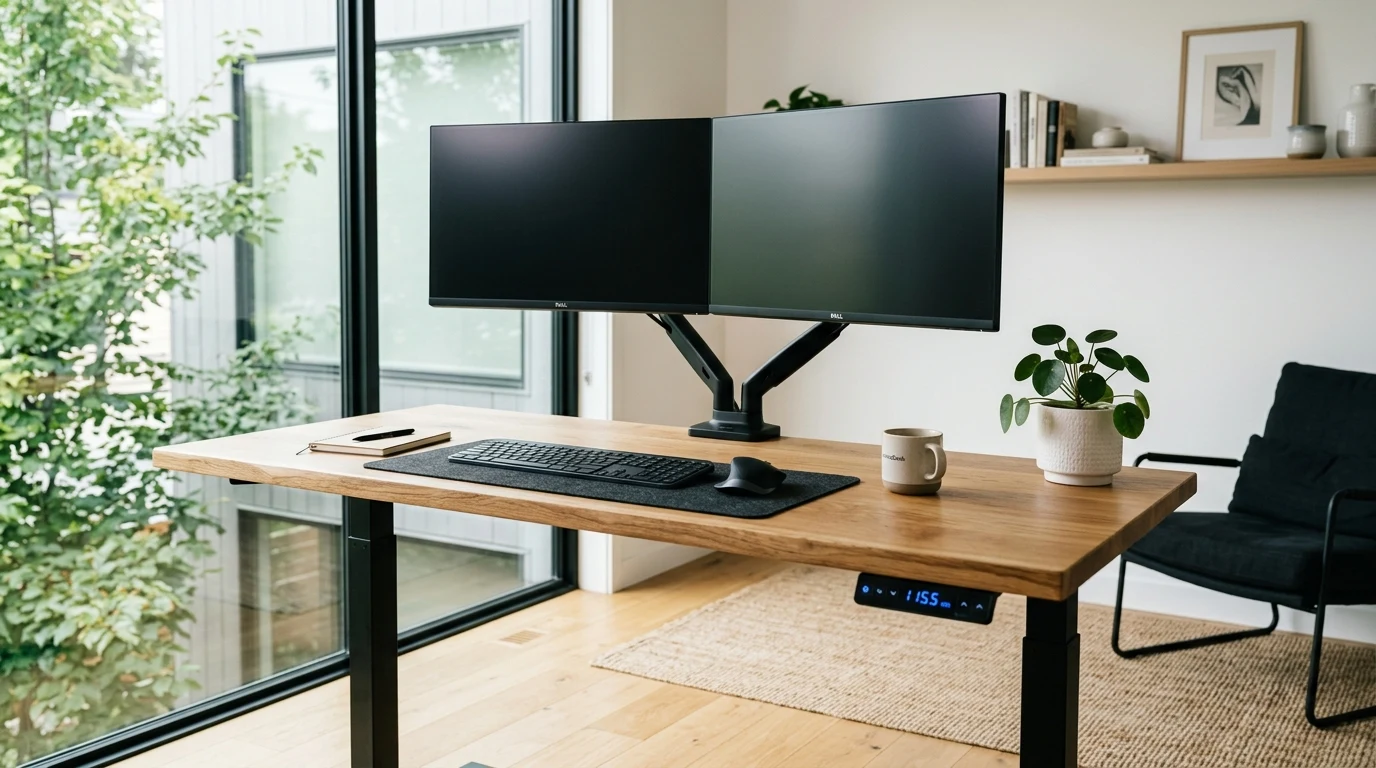
Spending eight to ten hours a day seated in an improper ergonomic posture under harsh overhead fluorescent glare is the fastest way to develop chronic lower back compression, neck stiffness, and 3:00 PM mental fatigue. YOU GUYS, there is truly nothing more frustrating than investing hundreds of dollars into a cheap wobble-prone standing desk that jerks and spills your coffee every time you raise it, or spending thousands of dollars ripping out perfectly functional window blinds just to get automated smart shades. Having evaluated motorized desk stroke speeds, decibel noise levels, beaded-chain motor torque, and ambient CRI lighting in real work-from-home studios, we developed this complete buyer’s guide so you can build a health-optimizing, productive workspace without overspending.
| Workspace Upgrade Domain | Core Hardware Specifications | Ergonomic & Lifestyle Advantage | Specialist Brand |
|---|---|---|---|
| Dual-Motor Electric Standing Desks | Dual High-Torque Motors, 3-Stage Telescoping Steel Legs (280+ lbs lift, <48 dB whisper quiet) | Effortless sit-to-stand transitions; programmable memory presets eliminate spine compression | AnthroDesk |
| Smart Window Shade Retrofit Motors | High-Torque Beaded-Chain Gear Motor with Solar Panel & Smartphone Automation | Motorizes existing manual roller shades in 10 minutes without replacing costly blinds | Ryse SmartShades |
| High-CRI Task & Under-Cabinet Lighting | Ultra-Thin Aluminum LED Puck Kits with RF Wireless Rotary Dimming | Eliminates computer monitor screen glare; illuminates desktop task zones cleanly | AIBOO |
| Magnetic Levitation Ambient Lighting | Magnetic Repulsion Induction Floating Bulbs & Botanical Planters | Visual relaxation, conversation centerpiece, calming warm incandescent ambiance | EP Design Lab |
Step 1: Motorized Standing Desks — Single vs Dual Motor Architecture
The single most important decision when upgrading to an adjustable desk is the motor drive system:
- Single Motor (Budget / Compromised): A single motor drives one leg and uses an exposed hex rod to transfer power to the opposite leg. Single-motor desks lift slowly (under 1.0 inch/sec), max out around 150 lbs of lifting capacity, and often produce a noticeable side-to-side wobble when raised to standing height.
- Dual Motor with 3-Stage Legs (Enthusiast Gold Standard): Brands like AnthroDesk integrate a dedicated synchronized motor inside each telescoping steel leg column. Dual motors lift up to 280 to 300 pounds smoothly at 1.5 inches per second with near-silent operation (under 48 decibels). When loaded with heavy dual monitors, studio speakers, and desktop PCs, dual-motor desks maintain rock-solid stability with zero screen jitter while typing.
- Smart Gyro Anti-Collision Sensors: Ensure your desk features an internal gyroscope sensor that instantly stops and reverses if the descending desktop touches an office chair armrest or under-desk filing cabinet.
My colleague Marcus, who stands 6’3″ and struggled with terrible lower back spasms from hunching over dining tables, installed an AnthroDesk dual-motor frame and told me his posture completely transformed in two weeks. See our full stability tests in the AnthroDesk vs Uplift desk review.
Step 2: Smart Window Shades — Retrofit Motors vs Costly Replacements
Automating your window coverings to open at sunrise and close during harsh midday heat glare keeps your office cool and boosts circadian energy. However, custom automated motorized window blinds often cost $600 to $1,200 per window.
In 2026, the smart solution is the Retrofit Chain Motor (pioneered by Ryse SmartShades). Instead of discarding your current manual blinds, a compact Ryse motor mounts to your window frame in under ten minutes and loops directly into your existing beaded plastic or metal pull chain. Using their smartphone app or voice commands (Google Assistant, Alexa, Apple HomeKit), the high-torque gear rolls your existing shades up or down smoothly. You can even attach a small solar panel to the window glass for indefinite battery charging. Read our hands-on installation testing in the Ryse SmartShades vs SwitchBot comparison.
Step 3: Lighting Architecture — Eliminating Screen Glare & Eye Fatigue
Overhead ceiling lights create direct reflections off your computer monitor, forcing your eye muscles to strain continuously. Professional workspace lighting uses a layered strategy:
- Under-Cabinet & Shelf Task Lighting (AIBOO): Slim aluminum LED puck lights mounted beneath monitor risers or floating wall shelves cast direct, even 3000K warm-white or 4000K neutral light onto your desk work surface without reflecting into your eyes. Look for high Color Rendering Index (CRI >90) and RF wireless rotary dimmers that adjust brightness smoothly from 10% to 100%. Explore our wiring tests in the AIBOO vs Philips Hue guide.
- Ambient Focus & Conversation Art (EP Design Lab): Magnetic levitation incandescent Edison bulbs float and spin gracefully in mid-air via electromagnetic induction, serving as a calming focal point that reduces workday stress. Check out our design review in the EP Design Lab vs Flyte comparison.
Budget Tiers & Finding Verified Smart Office Discounts
Transforming your workspace is accessible across various budgets:
– $35 – $65: Complete multi-puck under-cabinet LED kits (AIBOO) with wireless rotary dimmers.
– $99 – $150: Smart beaded-chain shade retrofit motors (Ryse SmartShades) and levitating art lamps.
– $280 – $450: Heavy-duty commercial-grade dual-motor electric standing desk frames (AnthroDesk).
I felt so disappointed when AnthroDesk’s dual-motor walnut desktop bundle went out of stock right before the new year, but whenever I see a verified 15% to 20% discount code active on our AnthroDesk coupon page or the Ryse store hub, upgrading your daily work setup for a couple hundred dollars feels like an incredible investment in your physical health. Make sure to also check our curated Best Ergonomic Workspace Upgrades Roundup.
Common Home Office Buying Mistakes to Avoid
- Buying Two-Stage Legs if You Are Over 6’0″ or Under 5’4″: Two-stage telescoping legs have limited height ranges (often 29″ to 47″). If you are tall or short, insist on 3-stage legs that adjust from 24″ up to 50″ to ensure your elbows sit at a relaxed 90-degree angle.
- Buying Single-Clipped Clamps for Heavy Monitor Arms: Mounting heavy 34-inch ultrawide monitors on cheap particle board desktops will crack the surface. Use solid MDF, bamboo, or butcher-block tops with reinforced steel crossbeams.
- Overlooking Cable Management Trays: An adjustable desk that moves up and down will pull power cords out of wall sockets if cables are too short. Always install an under-desk cable raceway tray and use a 10-foot heavy-duty surge protector cord.
Final Home Office Buyer’s Checklist
Before purchasing your workspace upgrades, verify:
✅ Dual-motor lift mechanism with at least 250 lbs weight capacity
✅ 3-stage telescoping legs with internal gyro anti-collision safety
✅ Retrofit motor compatibility with your existing window shade chain
✅ Flicker-free, high-CRI (>90) task lighting with smooth dimming
✅ Integrated cable management channel with expandable length
Wishing you guys painless posture, energized workdays, and massive discount savings on all your home office and smart workspace upgrades this year!
Affiliate Disclosure
Some links may be affiliate links. This may earn KerryPicks a commission at no extra cost to you. Recommendations are based on independent research and analysis. Learn more

Related Articles
 Reviews & Buying Guides
Akko vs Gamakay: Which Budget Mechanical Keyboard Brand Fits Your Setup?
 Reviews & Buying Guides
Carpuride vs In-Dash Stereo: Is a Portable Wireless CarPlay Screen Worth It in 2026?
 Reviews & Buying Guides