
Table of Contents
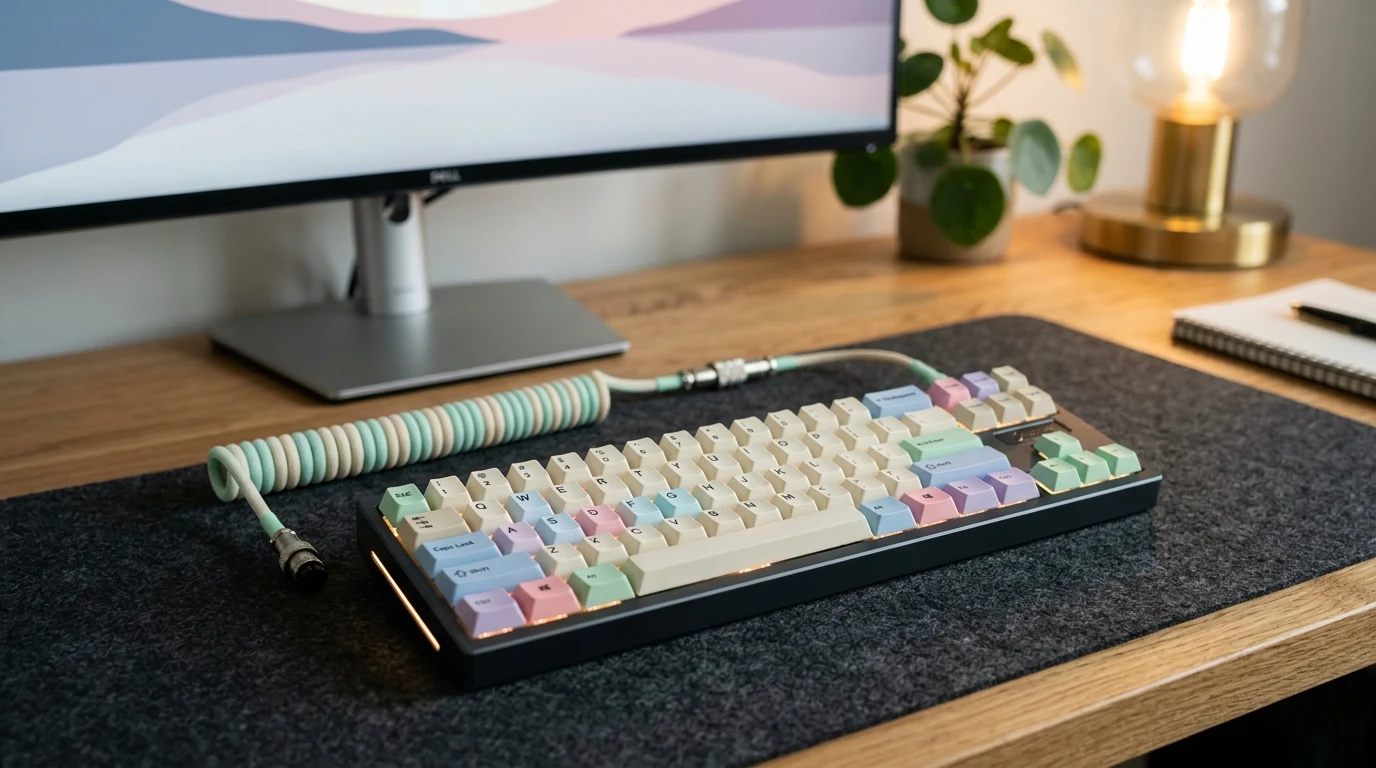
Stepping into the world of custom mechanical keyboards in 2026 can feel like learning an entirely new language of actuation curves, gasket flex cuts, Poron acoustic dampening foams, and Hall Effect magnetic sensors. YOU GUYS, there is truly nothing more disappointing than dropping a hundred and fifty dollars on a sleek-looking gaming keyboard only to bring it home and discover hollow plastic ping, rattly metal wire stabilizers, and deafening clicky switches that irritate everyone in your household. Having assembled, modded, typed on, and stress-tested hundreds of enthusiast keyboards over the past five years, we created this definitive buyer’s guide to give you a clear, no-nonsense blueprint so you get creamy, satisfying acoustics, lightning-fast esports response times, and premium build quality on your very first purchase.
| Evaluation Metric | Budget Tier ($50 – $90) | Enthusiast Tier ($90 – $180) | Esports & Designer ($180+) |
|---|---|---|---|
| Switch Technology | Factory-Lubed Linear / Tactile Mechanical | Custom Multi-Stage Spring Mechanical / Silent Linear | Hall Effect Magnetic Rapid-Trigger (0.1mm reset) |
| Mounting Architecture | Integrated Tray / Top Mount with Silicone Pad | Multi-Layer Gasket Mount with Poron & IXPE Foams | Precision CNC Aluminum Chassis with Leaf-Spring Gaskets |
| Keycap Material & Profile | Double-Shot ABS or OEM PBT | Cherry / MDA Profile Thick Dye-Sublimated PBT | Custom Sculpted Spherical PBT / Artisan Translucent Polycarbonate |
| PCB Connectivity | Wired USB-C or Basic 2.4GHz Dongle | Tri-Mode (Bluetooth 5.0, 2.4GHz Ultra-Low Latency, USB-C) | 8,000Hz Hyper-Polling Tri-Mode with Web-Based Driver |
| Top Recommended Brands | Akko & Gamakay | Varmilo & NuPhy | MelGeek & ATK Gaming Gear |
Step 1: Switch Selection — Linear, Tactile, or Magnetic Rapid-Trigger?
The switches beneath your keycaps dictate 80% of your everyday typing experience. Choosing the right switch comes down to your primary use case:
- Linear Switches (Smooth & Consistent): Linear switches travel straight down without any tactile bump or audible click. When factory-lubricated with Krytox 205g0 grease, they deliver that deep, creamy, “marbly” acoustic signature beloved by typing enthusiasts. They are effortless for rapid double-tapping in action games and quiet enough for shared home offices.
- Tactile Switches (Feedback & Precision): Tactile switches feature a subtle mechanical bump right at the actuation point, confirming your keystroke without needing to bottom out the key. If you type long essays, code, or data entries all day, tactiles help prevent accidental typos while delivering satisfying tactile feedback.
- Hall Effect Magnetic Switches (Esports Advantage): Rather than relying on traditional metal leaf contacts, magnetic switches use electromagnetic Hall sensors to detect the exact depth of the key stem. This unlocks Rapid Trigger functionality—meaning the key resets the instant your finger lifts up by just 0.1mm, rather than waiting for the switch to travel back over a fixed physical threshold. For competitive titles like Valorant, Apex Legends, or CS2, this eliminates mechanical input delay completely.
My desk mate Kevin used to drive our entire team crazy with hollow, rattly blue clicky switches until we upgraded him to an Akko pre-lubed linear board. The difference was night and day—whisper-quiet, smooth as silk, and zero desk vibration. If you are torn between different enthusiast switches, read our detailed head-to-head showdown in the Akko vs Gamakay keyboard review.
Step 2: Mounting Styles & Acoustics — The Gasket Mount Revolution
In older mechanical keyboards, the metal switch plate was screwed directly into the plastic bottom casing (known as a tray mount). This created stiff, harsh bottom-out impacts and reverberated metallic ringing through your desk. In 2026, the gold standard for comfortable typing is the gasket mount.
In a gasket-mounted keyboard, the switch plate and PCB assembly sit cushioned between soft Poron foam or silicone tabs along the perimeter of the case. When you press down firmly on a key, the entire typing plate flexes gently downwards. This absorbs finger fatigue during long typing marathons and creates that deep, muted “thocky” sound profile. Look for keyboards that feature multi-layer acoustic dampening: an IXPE switch pad directly beneath the switch pins, a Poron plate foam layer, and a dense silicone case base pad.
For custom transparent cases and innovative acoustic damping chambers, check out how designer brands engineer their boards in our MelGeek vs NuPhy comparison.
Step 3: Keycaps & Chassis Materials — Durability That Lasts
Never underestimate the impact of keycap plastic chemistry. Budget keyboards frequently ship with thin ABS plastic keycaps that develop an unsightly shiny grease patina within three to six months of regular use, with printed legends that wear away.
Always prioritize Thick PBT (Polybutylene Terephthalate) keycaps. PBT plastic features a subtle micro-textured matte finish that resists skin oils and finger friction indefinitely. Look for Dye-Sublimated or Doubleshot legend printing methods, where the lettering is infused directly into the molecular structure of the plastic and can never rub off. For keycap profiles, Cherry profile remains the ergonomic industry benchmark for desktop typists, while sculpted spherical profiles like MDA or SA provide vintage aesthetic elegance.
If you appreciate artisan aesthetic themes with botanical, traditional Asian, or cyberpunk artwork infused directly into durable PBT keycaps, explore our comprehensive Varmilo vs Ducky comparison guide.
Step 4: Hot-Swap PCBs & Tri-Mode Wireless Connectivity
Under no circumstances should you purchase a mechanical keyboard with soldered switches in 2026. A Hot-Swappable PCB features universal Kailh or Gateron hot-swap sockets, allowing you to pull out any switch using a simple metal puller tool and pop in a new switch in five seconds—no soldering iron required. This future-proofs your investment, letting you swap from silent office linears to magnetic gaming switches whenever your preferences change.
For connectivity, look for Tri-Mode functionality:
1. 2.4GHz Wireless: Delivers sub-1ms ultra-low latency via a compact USB receiver, completely eliminating wireless lag for gaming.
2. Bluetooth 5.0: Allows pairing across three separate mobile devices, laptops, or tablets with instant multi-device hotkey toggling.
3. Detachable USB-C: Provides steady charging and direct 1,000Hz to 8,000Hz esports polling rates for tournament play.
Budget Tiers & Brand Recommendations for 2026
To help you navigate current market offerings, we grouped our top-tested brands into three distinct spending categories:
- Under $100 (Best Value Prebuilts): Brands like Akko and Gamakay dominate this tier. You get factory-lubed switches, hot-swap 5-pin PCBs, high-density PBT keycaps, and vibrant RGB lighting straight out of the box without requiring manual modifications.
- $100 to $180 (Enthusiast Craftsmanship): Brands like Varmilo provide incredible factory assembly tolerances, bespoke tuned stabilizers with zero rattle, and heavy acoustic dampening that rivals custom-built DIY kits.
- $180+ (Esports Dominance & Designer Cases): MelGeek delivers futuristic polycarbonate aesthetics and gasket flex, while ATK Gaming Gear offers pro-tier 8,000Hz Hall Effect rapid-trigger boards capable of competing with the most expensive tournament setups. Read our in-depth esports review in the ATK Gaming Gear vs Razer comparison.
For an overarching view of our curated shortlist, make sure to read our companion roundup: Best Custom Mechanical Keyboards of 2026.
Common Mechanical Keyboard Buying Pitfalls to Avoid
Before entering your payment details, watch out for these three widespread consumer traps:
- North-Facing Switch Sockets: Cheaper boards place the RGB LED on the top (north) side of the switch socket. If you later swap to cherry-profile keycaps, the thick plastic edges will strike the switch housing prematurely, ruining the acoustic sound and feel. Always check that your board features South-Facing LEDs.
- Proprietary Bloatware Drivers: Avoid keyboards that force you to install 500MB background software suites that consume RAM and send telemetry data. Seek out keyboards with on-board memory, web-based driver interfaces, or open-source QMK/VIA support.
- Paying Full Retail Price on Drops: Custom keyboard production runs happen in seasonal batches. I was heartbroken when a limited Akko retro release sold out within hours, but whenever I see new production batches arrive alongside verified 15% to 20% promotional discounts on our Akko store coupon hub, getting premium desk hardware for under eighty dollars feels like a total triumph.
Final Keyboard Buying Checklist
Ready to upgrade your typing setup? Ensure your chosen board checks these essential boxes:
✅ 5-pin hot-swappable PCB with south-facing LEDs
✅ Multi-layer gasket mounting structure with Poron dampening
✅ Factory-lubricated linear or tactile switches
✅ High-density dye-sub or doubleshot PBT keycaps
✅ Tri-mode wireless or detachable braided USB-C cable
Wishing you guys buttery-smooth keystrokes, deep satisfying sound profiles, and massive discount savings on your dream keyboard setup this year!
Affiliate Disclosure
Some links may be affiliate links. This may earn KerryPicks a commission at no extra cost to you. Recommendations are based on independent research and analysis. Learn more

Related Articles
 Reviews & Buying Guides
Akko vs Gamakay: Which Budget Mechanical Keyboard Brand Fits Your Setup?
 Reviews & Buying Guides
Carpuride vs In-Dash Stereo: Is a Portable Wireless CarPlay Screen Worth It in 2026?
 Reviews & Buying Guides